
Know exactlywhere your money goes.
Spending, budgets, goals and AI to help you decide better, every week.
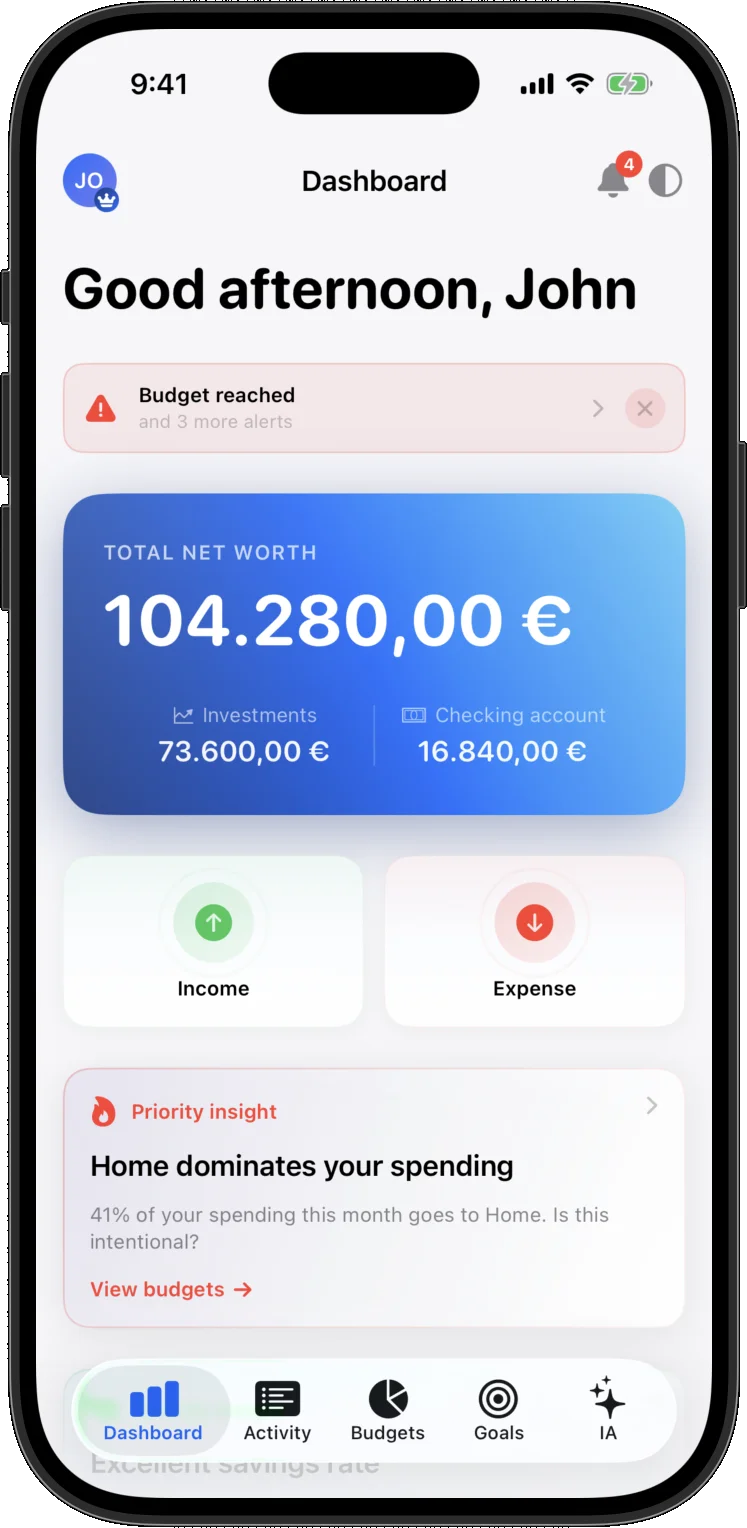
See what is happening
What you have, what you save and where it goes, at a glance.
Decide with confidence
Budgets, goals, projections and affordability checks before you spend.
Log without friction
Voice, receipts and natural language keep the habit alive.
The product has to show up early.
These are real screens, not mockups: this is how your money looks, how you log a spend, and where you end up.
A clean view of your financial picture.
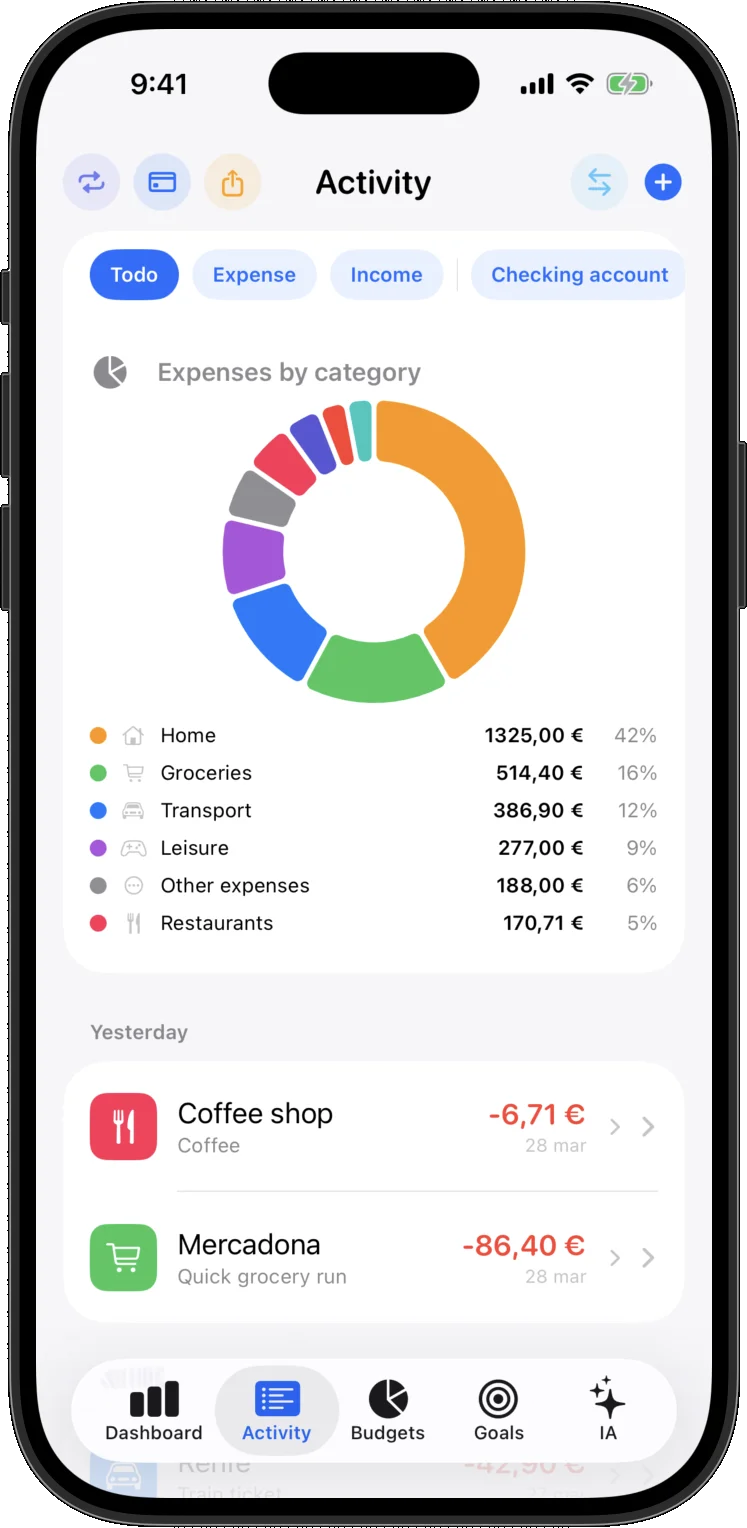
One photo or a few words and the expense is in.
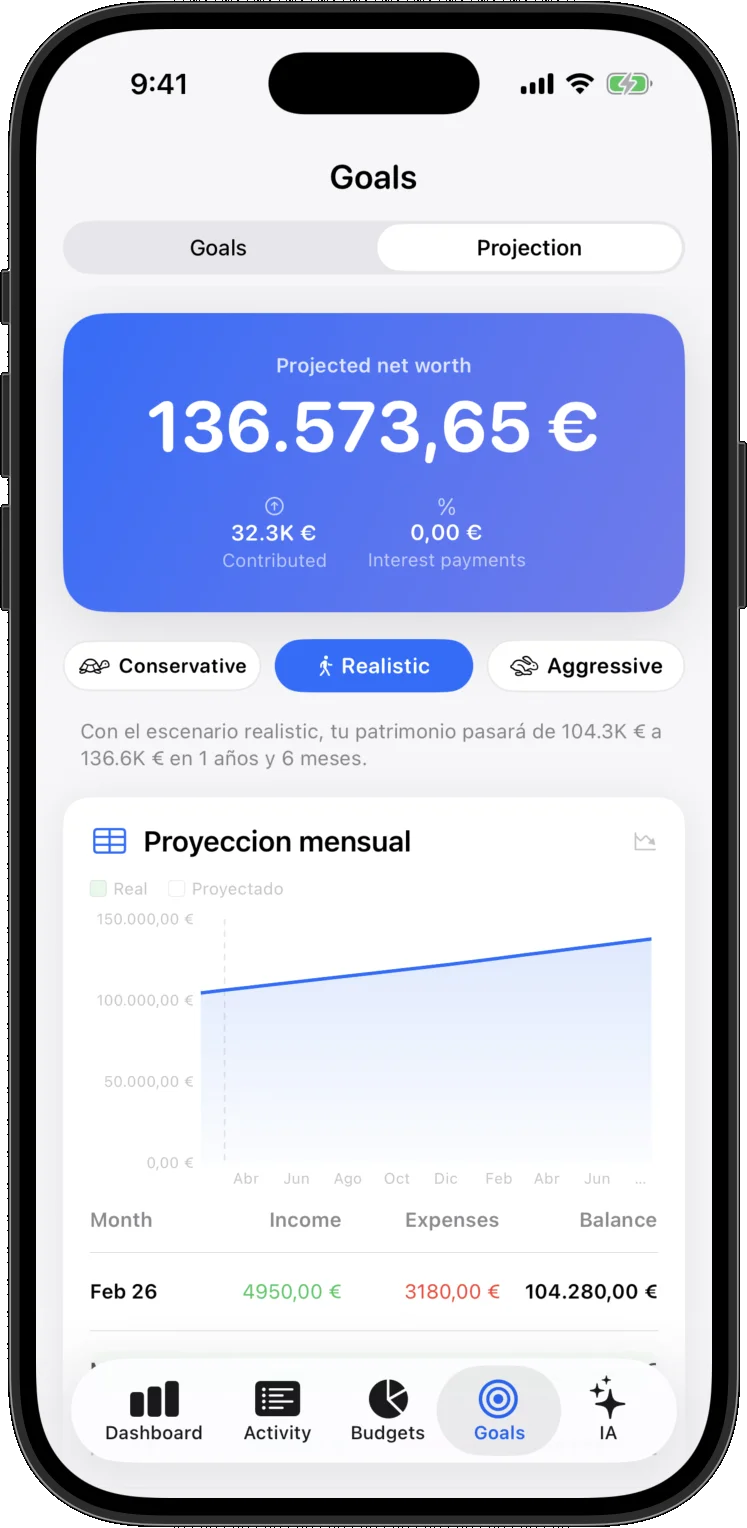
Goals, scenarios and big purchases with context.
You do not need another app that only lists transactions.
You need context, judgment and a fast way to act when you look at your money.
More clarity in seconds
The first screen should already tell you what is happening this month and where attention matters.
Less daily friction
Logging an expense has to take seconds or people stop doing it. So you can snap it, say it, or tap it in twice.
More useful decisions
Budgets, goals and projections matter because they turn data into decisions you can actually act on.
What starts to change when your money finally comes with context.
The promise is not only better logging. It is spotting patterns earlier, adjusting earlier and making decisions with less friction through the month.
Week 1: you see the pattern
You see your overview and your latest spending, and the app flags where it is running away.
Week 2: you adjust with judgment
Budget coaching, alerts and goals help you recover margin without guessing.
Week 4: you finish with more control
Weekly summaries, month-end forecast and affordability checks help you decide before you spend.
Everything that matters, inside a clear interface.
Every block here is grounded in screens and flows that already exist in the iOS product.
All your money in one place: accounts, savings and investments
It tells you when you are spending faster than usual
How the month will end if you carry on like this
The difference is moving from data to decisions.
FinancIA does not stop at categorizing. It brings tracking, judgment and action together in one app.
Bank connections and the investing side are already inside the app, but we would rather not promise them loudly until they feel finished.
Your data first, on your device.
FinancIA is not only about clarity. It is also about trust: local storage as the foundation, no data resale and full control over when connected layers should matter.
Data lives on the device first
No personal data is sold
Sync is only activated when it adds value
The privacy policy is linked from navigation and footer to reinforce trust before public access opens.
It feels native from the first gesture.
No invented frames or fake demos: only real app screens on iOS, with a fast, clean experience ready when quick actions matter.
Your money, organized at a glance.
What you have, what you save and where it is going, without hunting for it.
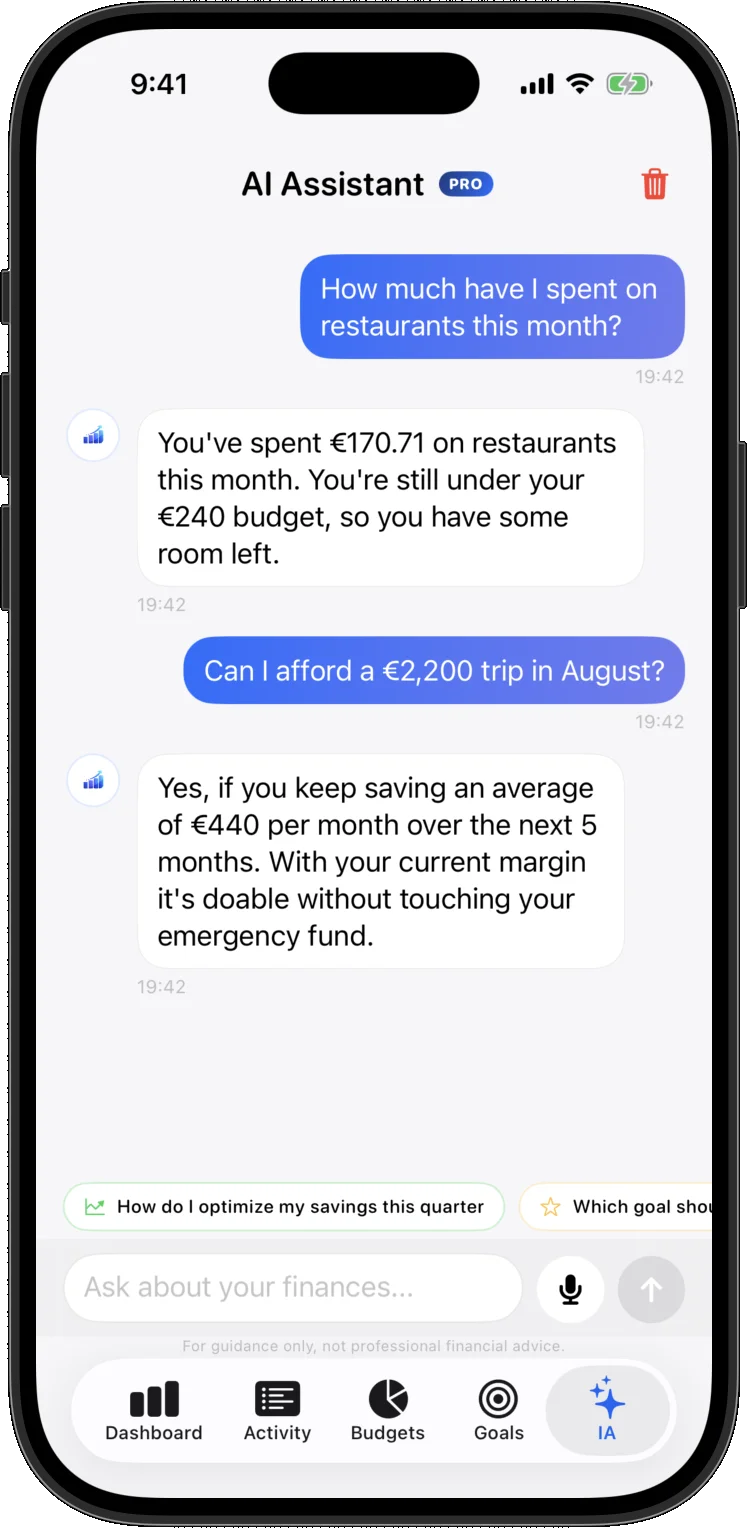
An AI that also gets things done.
Ask it anything and let it do the work. Nothing is saved without your say-so, and you can always undo it.
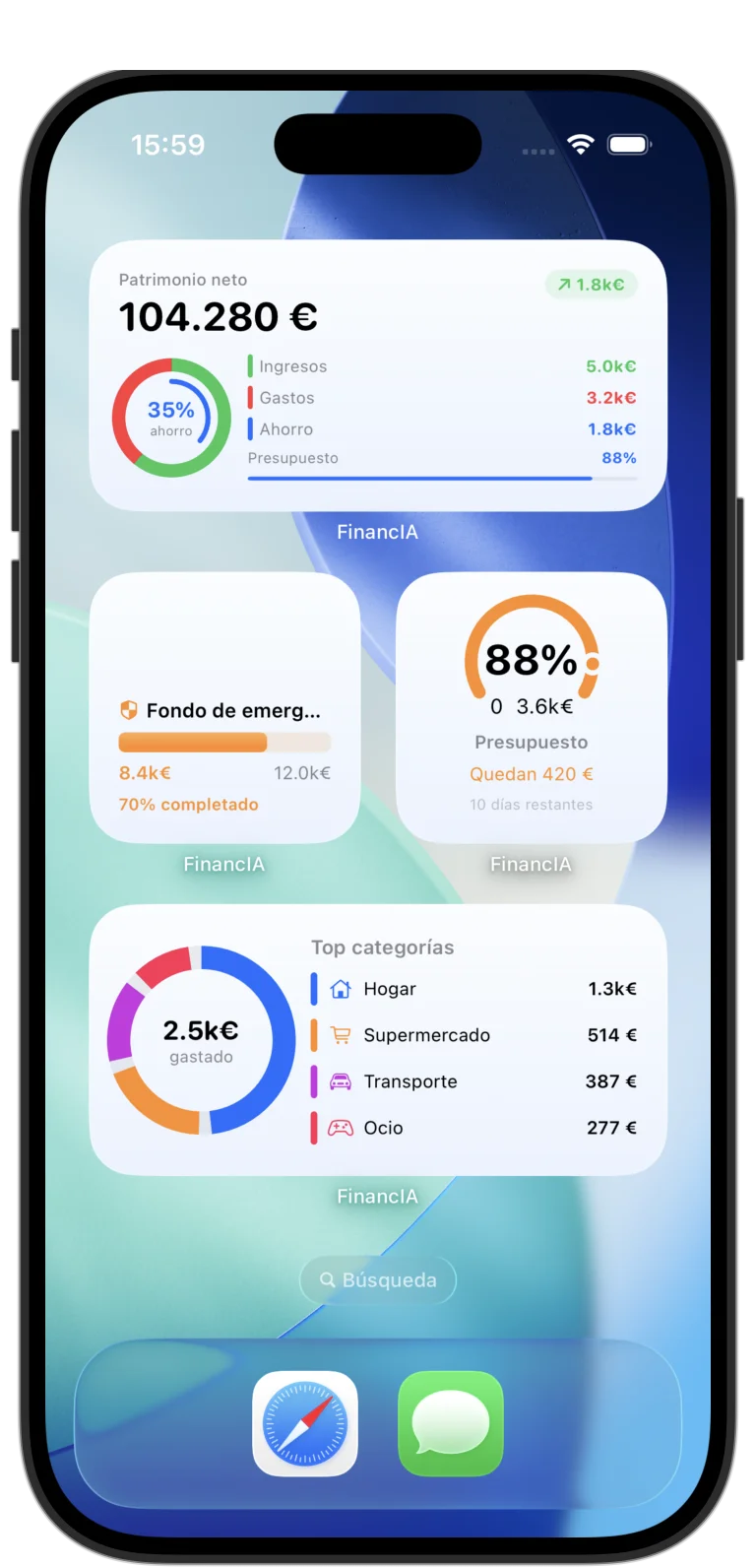
Your money stays visible outside the app.
Check how you are doing or log a spend without even opening the app.
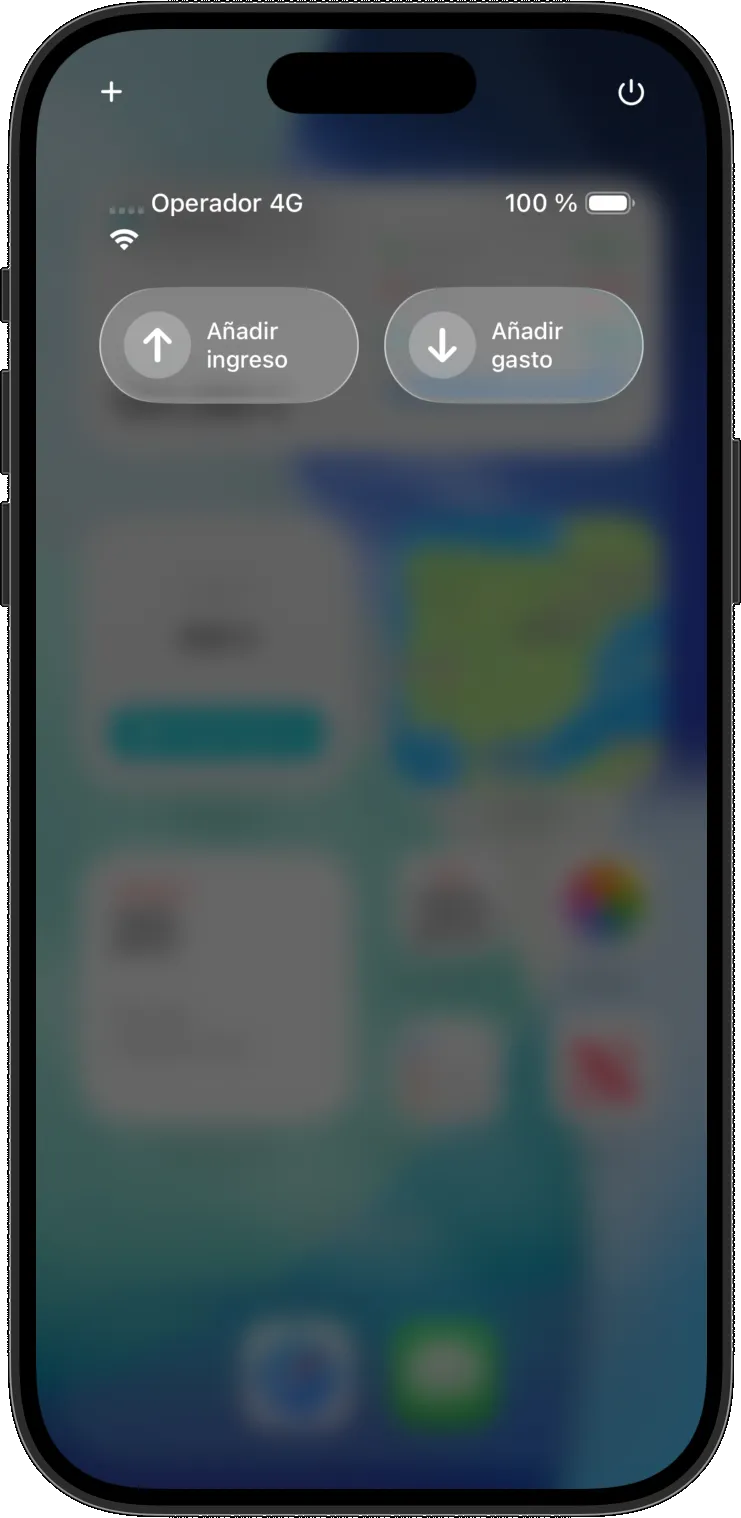
Your money also lives outside the app.
A wide Home Screen widget to track the month and Control Center quick actions to log without breaking the flow.
Always-visible summary
Net worth, income, spending, savings and budget right from the Home Screen.
Instant actions
Two real iOS quick actions for logging income and expenses in seconds.
Snap the receipt
Extract amount, date and merchant from a receipt without heavy flows.
Voice and natural language
Logging stops interrupting the moment when you can speak or write naturally.
Widgets and shortcuts
Open, check or log in seconds when you only need one quick action.
Bilingual
The app is set up for both Spanish and English without changing the core promise.
Content built to win high-intent queries
Evergreen guides for English searches around choosing an iPhone finance app, tracking expenses, using a 50/30/20 budget and keeping a monthly budget alive.
Join now and we will notify you when access opens.
Waitlist is the right conversion step today. We will email you when demo, early access or launch becomes available.
Get priority access.
Leave your email and we will notify you when demo, early access or launch is ready.
Leave your email
Join the waitlist in under a minute and secure your place.
Get confirmation
You will receive an email confirming you are on the list.
Get invited first
When demo, early access or launch is ready, you hear first.
No vague launch promise here: the CTA collects real interest instead of pretending the app is ready for immediate download.
The essentials, answered before download.
Real questions that clarify what the app does, who it is for and how access works today.
What does FinancIA actually do?
FinancIA helps you track spending, create budgets, follow goals, view projections and make decisions with an AI layer connected to your financial context.
What real features are already in the app?
You can already see your overview, set budgets per category, track goals, see where your money is heading, ask the AI, log expenses by photo or by voice, and check it all from your home screen.
Is it available in Spanish and English?
Yes. The app is set up to work in both Spanish and English while keeping the same core promise.
Does it work only on iPhone?
The current product focus is iPhone. The main experience, quick actions and native layer are built for iOS.
Can I log spending with voice or receipt scanning?
Yes. Say it out loud, type it however you think it, or photograph the receipt: the app pulls out the amount, the date and the merchant.
Can I download the app right now?
Not yet. We are running a waitlist: leave your email and we will tell you the moment you can download it.
If you need to reach us, there is a real contact path.
Just write to us using the form below and we will get back to you.